
#8 - Building a Dual-Hub + SD-WAN + ADVPN Lab with BGP
Table of Contents (16 sections)
- 1. Topology Overview
- 2. The Underlay: Simulating Real Carriers
- 3. Overlay Routing: iBGP with Dual Route Reflectors
- 4. ADVPN: Dynamic Spoke-to-Spoke Shortcuts
- 5. IPsec Parameters That Matter
- 6. The Inter-Hub DCI
- 7. SD-WAN and Health Checks
- 8. Self-Healing with BGP Communities
- 9. Static Routes and Blackhole Hygiene
- 10. End-to-End Test Plan
- Test 1: Normal Spoke-to-Spoke ADVPN
- Test 2: ISP Path Failure
- Test 3: Cross-Hub Failover Through DCI
- Test 4: Degraded Path with BGP Community
- Final Notes
- Lab Environment
Recently, I spent some time building a Dual-Hub SD-WAN lab with ADVPN on FortiGate.
The goal was not only to make the tunnels come up. I wanted a lab that behaved like a small production fabric: multiple ISPs, underlay eBGP, overlay IPsec, SD-WAN steering, iBGP route reflection, an inter-hub DCI, and enough validation to prove that spoke-to-spoke traffic could survive path changes.
The lab runs on FortiOS 7.0.3 in an EVE-NG/PNETLab environment. To keep the topology easy to troubleshoot, I used Brazilian cities as the site names:
| Device | Role | Local LAN |
|---|---|---|
| HUB-CWB | Primary hub / route reflector | 10.11.0.0/16 |
| HUB-SP | Secondary hub / route reflector | 10.21.0.0/16 |
| SPOKE-RJ | Branch spoke | 10.41.0.0/16 |
| SPOKE-POA | Branch spoke | 10.51.0.0/16 |
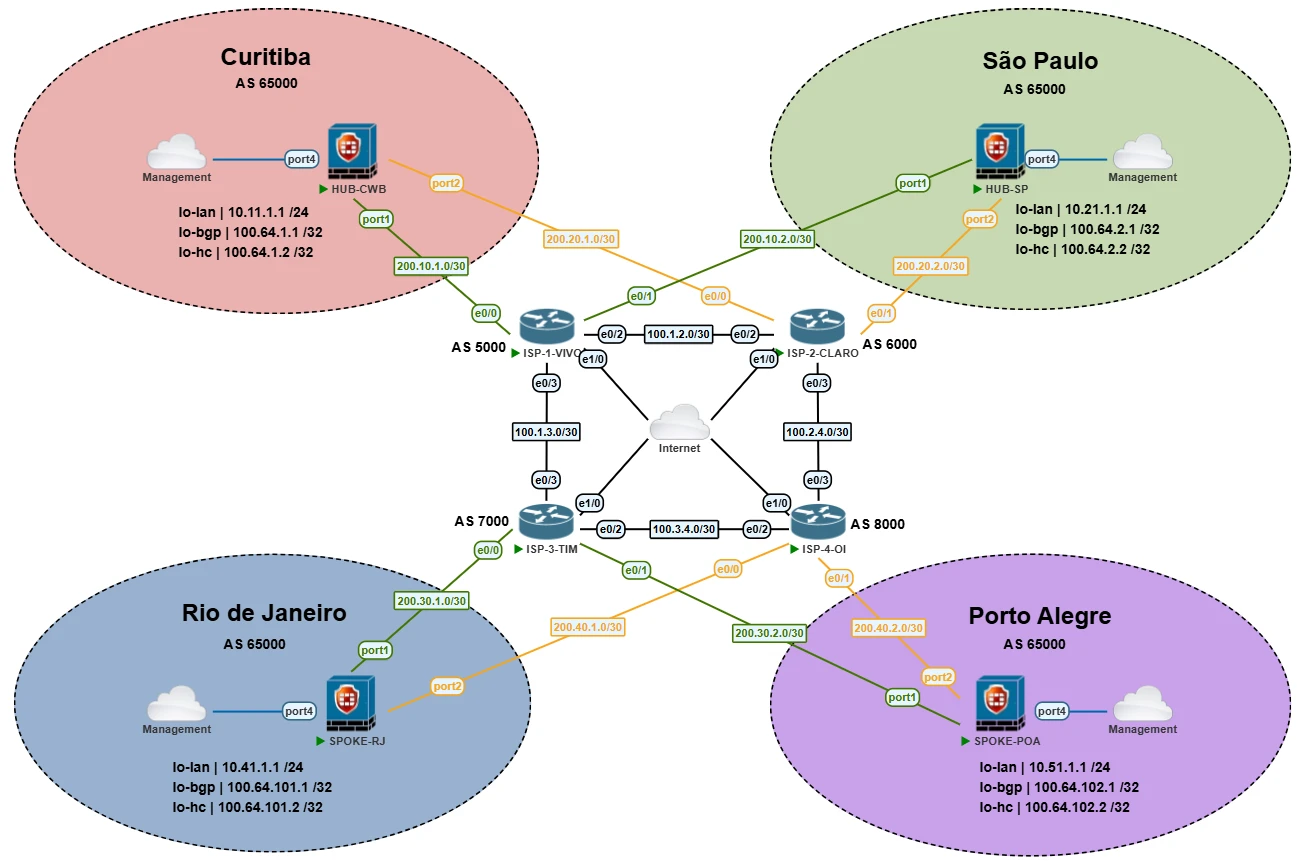
Topology overview for the FortiGate dual-hub ADVPN fabric.
1. Topology Overview
The topology uses four FortiGate devices and four simulated ISP routers.
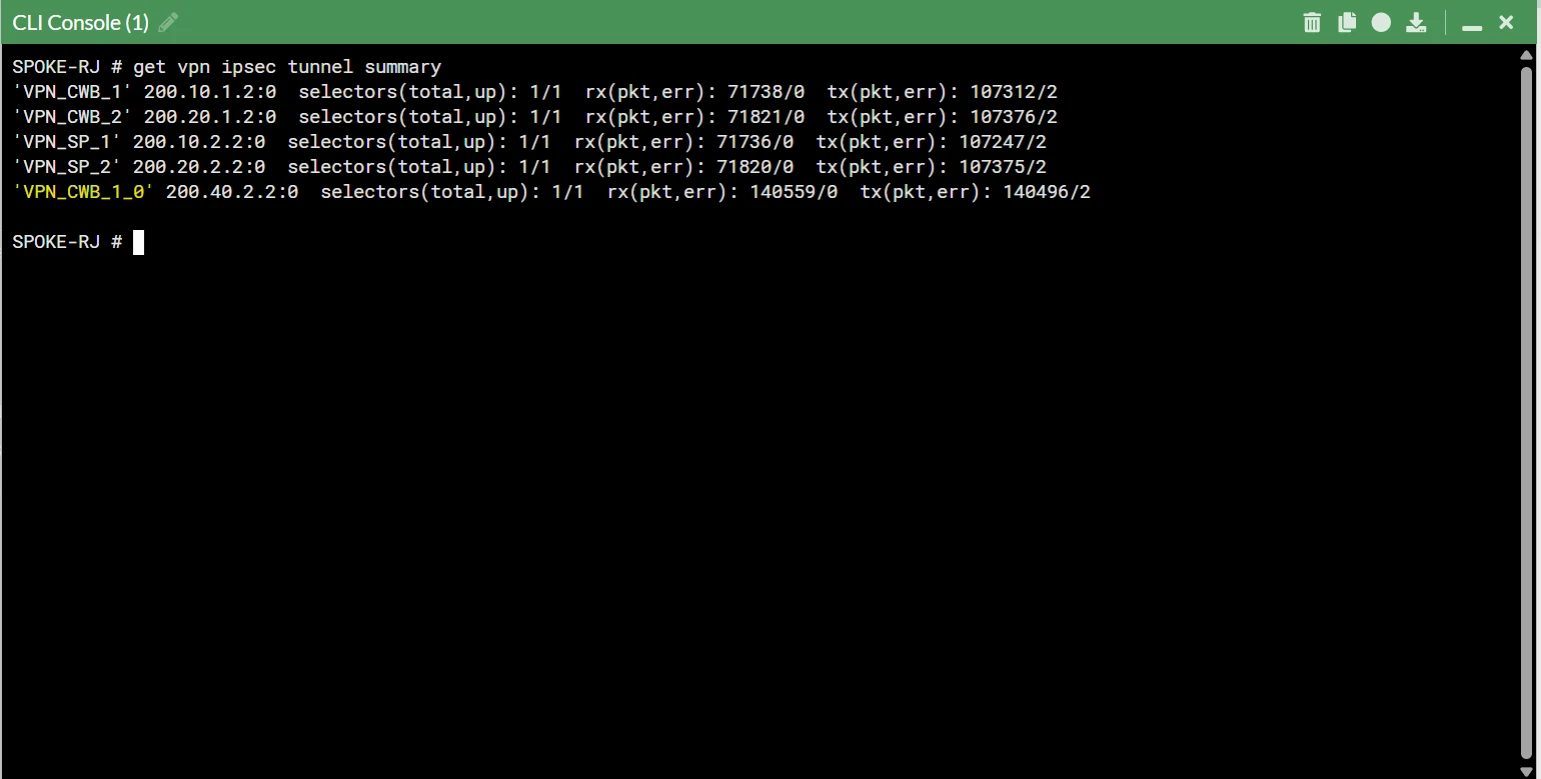
Each spoke has four overlay tunnels:
- Two tunnels to HUB-CWB.
- Two tunnels to HUB-SP.
- One tunnel per ISP path.
The hubs also have a dedicated IPsec tunnel between them:
| Link | Purpose | Overlay IPs |
|---|---|---|
| VPN_DCI | Hub-to-hub datacenter interconnect | 10.254.10.1/32 and 10.254.10.2/32 |
| CWB ISP1 overlay | ADVPN hub tunnel | 10.254.11.254 |
| CWB ISP2 overlay | ADVPN hub tunnel | 10.254.12.254 |
| SP ISP1 overlay | ADVPN hub tunnel | 10.254.21.254 |
| SP ISP2 overlay | ADVPN hub tunnel | 10.254.22.254 |
The local LANs are simulated with loopback interfaces. This keeps the lab compact while still providing stable source and destination prefixes for routing, SD-WAN, and ADVPN validation.
| Device | lo-lan | lo-bgp | lo-hc |
|---|---|---|---|
| HUB-CWB | 10.11.1.1/24 | 100.64.1.1/32 | 100.64.1.2/32 |
| HUB-SP | 10.21.1.1/24 | 100.64.2.1/32 | 100.64.2.2/32 |
| SPOKE-RJ | 10.41.1.1/24 | 100.64.3.1/32 | 100.64.3.2/32 |
| SPOKE-POA | 10.51.1.1/24 | 100.64.4.1/32 | 100.64.4.2/32 |
2. The Underlay: Simulating Real Carriers
The underlay is built with Cisco IOL L3 routers acting as carriers. Each carrier has its own ASN and forms eBGP with the FortiGate WAN interfaces.
| ASN | ISP | Connected Devices |
|---|---|---|
| AS 5000 | ISP-1 VIVO | HUB-CWB port1, HUB-SP port1 |
| AS 6000 | ISP-2 CLARO | HUB-CWB port2, HUB-SP port2 |
| AS 7000 | ISP-3 TIM | SPOKE-RJ port1, SPOKE-POA port1 |
| AS 8000 | ISP-4 OI | SPOKE-RJ port2, SPOKE-POA port2 |
The FortiGates use eBGP on the underlay to learn default routes and maintain reachability between public WAN addresses. This matters because the IPsec overlay depends on the underlay being stable enough to reach each remote gateway.
One useful detail in the lab is the use of local-as on the spokes:
| Device | ISP Neighbors | Local AS |
|---|---|---|
| SPOKE-RJ | 200.30.1.1, 200.40.1.1 | 65001 |
| SPOKE-POA | 200.30.2.1, 200.40.2.1 | 65002 |
That let me emulate branch-specific ASN behavior without changing the internal overlay ASN, which remains AS 65000.
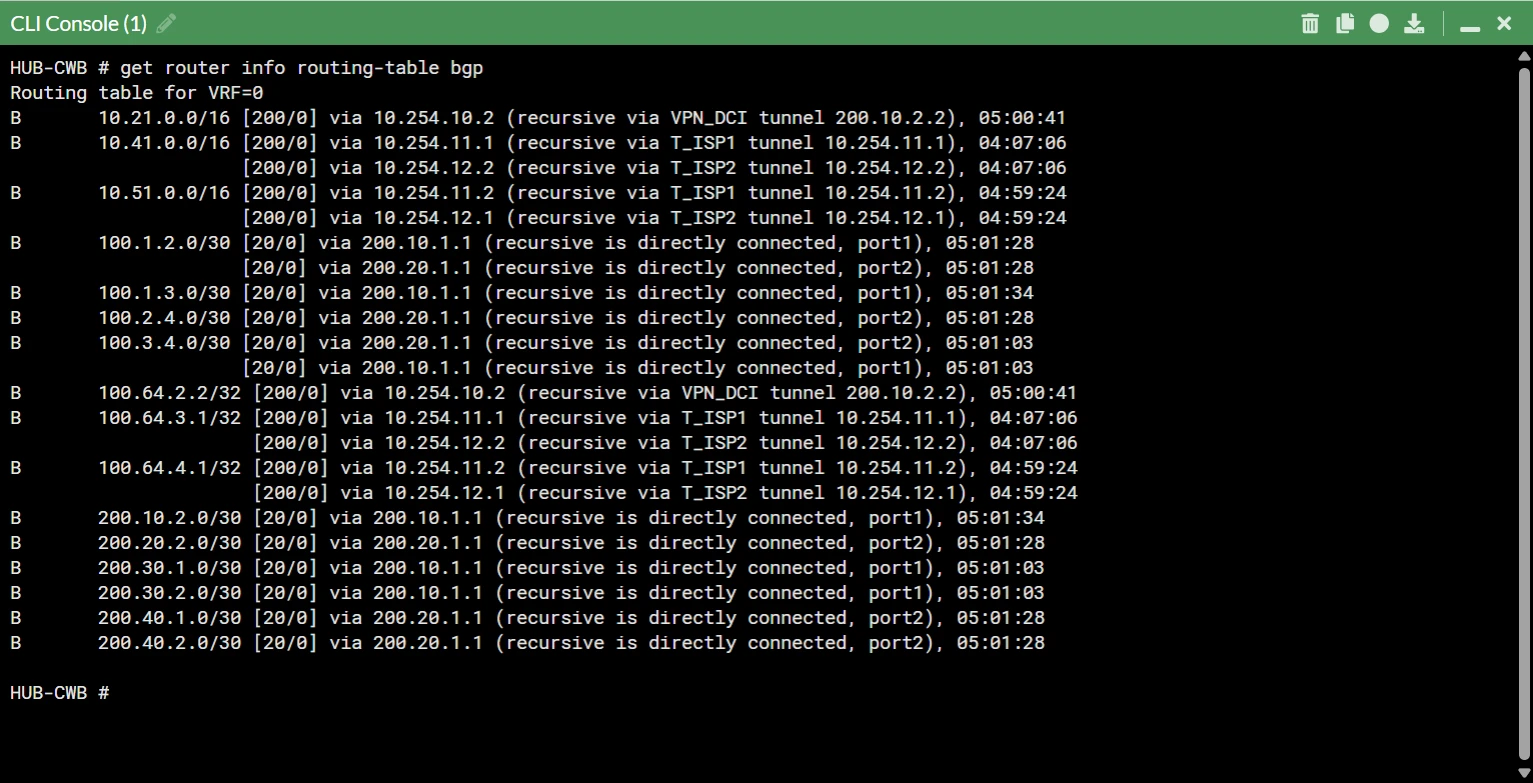
3. Overlay Routing: iBGP with Dual Route Reflectors
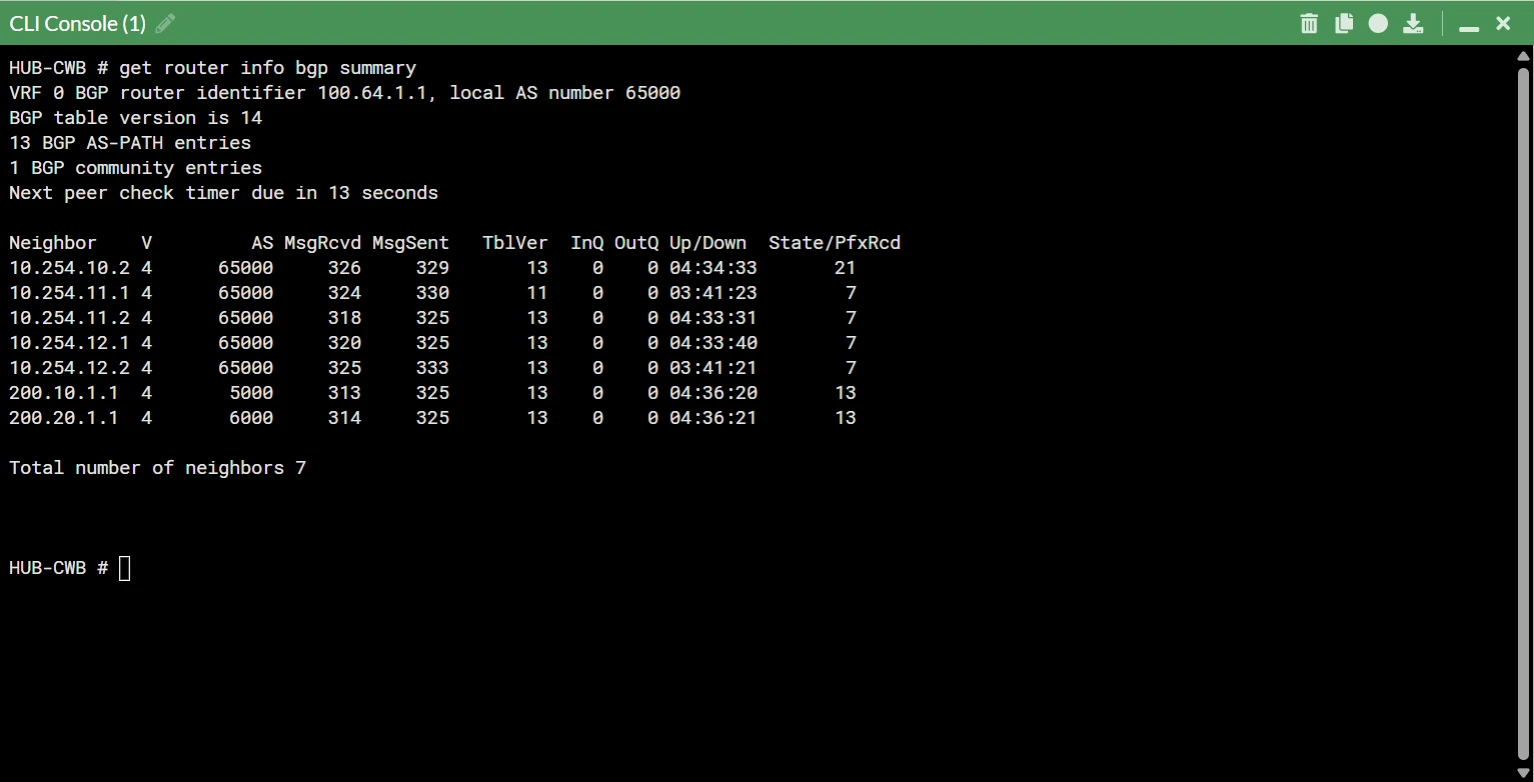
Inside the overlay, all FortiGates run iBGP in AS 65000.
The hubs act as route reflectors. Instead of manually defining every spoke as a static neighbor, each hub uses a neighbor-range for the overlay pool:
config router bgp
        set as 65000
        set additional-path enable
        set recursive-next-hop enable
        config neighbor-group
            edit "SPOKES"
                set bfd enable
                set link-down-failover enable
                set passive enable
                set remote-as 65000
                set route-map-in "RM_HUB_IN"
                set route-reflector-client enable
            next
        end
        config neighbor-range
            edit 1
                set prefix 10.254.0.0 255.255.0.0
                set neighbor-group "SPOKES"
            next
        end
    end
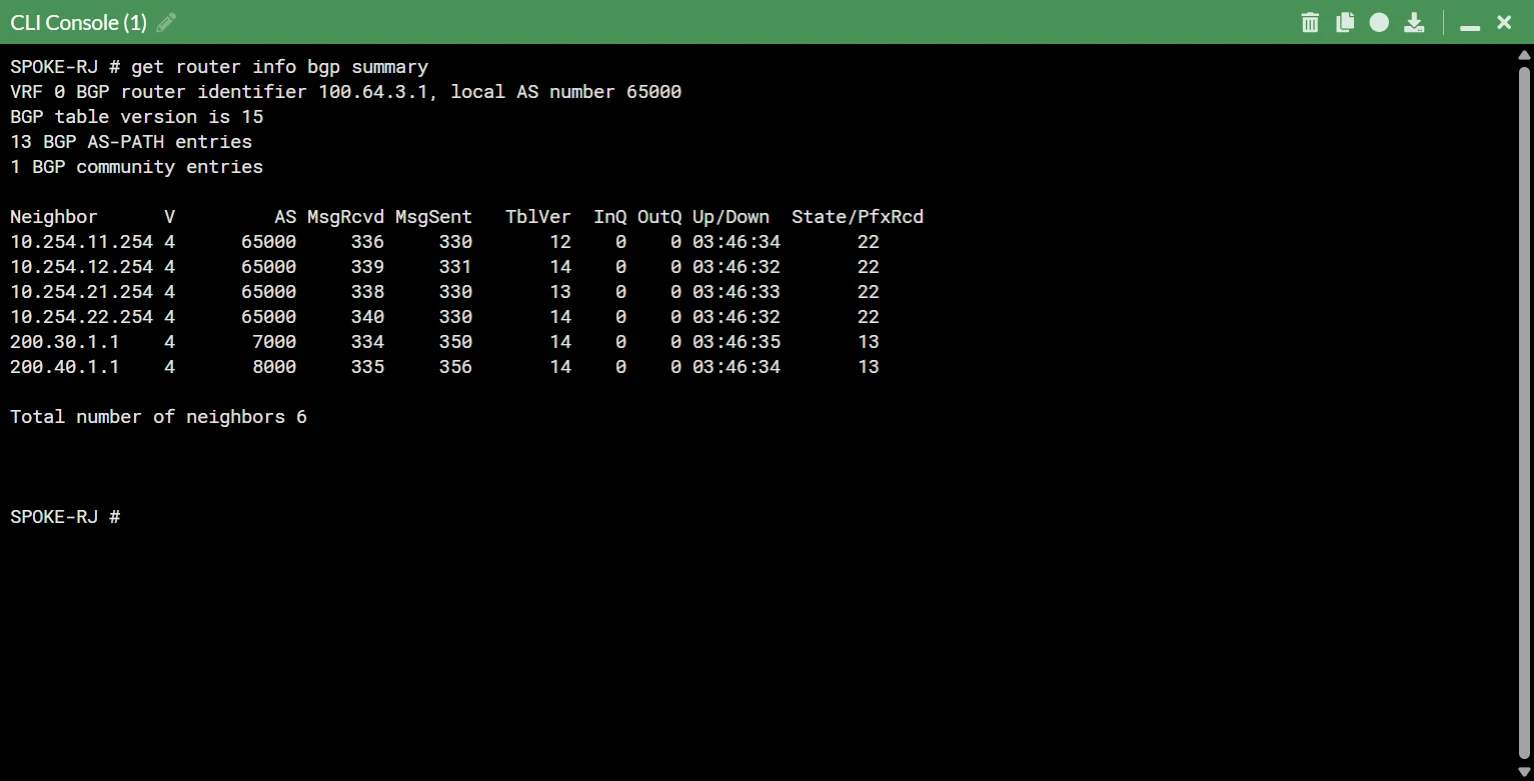
Each spoke forms four iBGP sessions, one to each hub overlay endpoint:
| Spoke neighbor | Hub path |
|---|---|
| 10.254.11.254 | HUB-CWB via ISP1 |
| 10.254.12.254 | HUB-CWB via ISP2 |
| 10.254.21.254 | HUB-SP via ISP1 |
| 10.254.22.254 | HUB-SP via ISP2 |
This is not a single-session BGP-on-loopback design. The loopbacks are still important, but in this FortiOS 7.0.3 lab they are used as stable identities, advertised prefixes, and health-check targets. The actual iBGP peerings are established over the overlay tunnel addressing.
4. ADVPN: Dynamic Spoke-to-Spoke Shortcuts
ADVPN allows the spokes to build direct tunnels when they need to talk to each other.
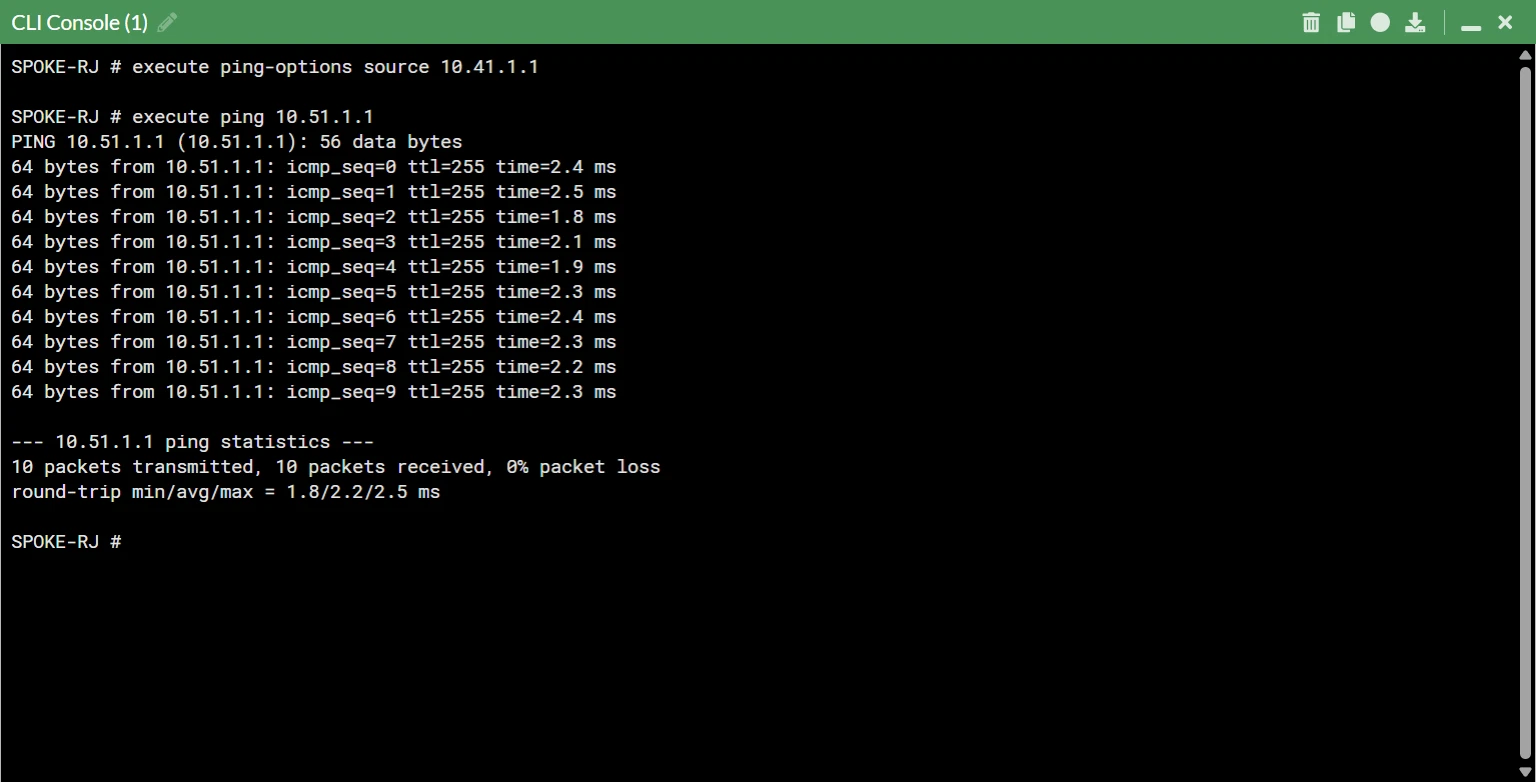
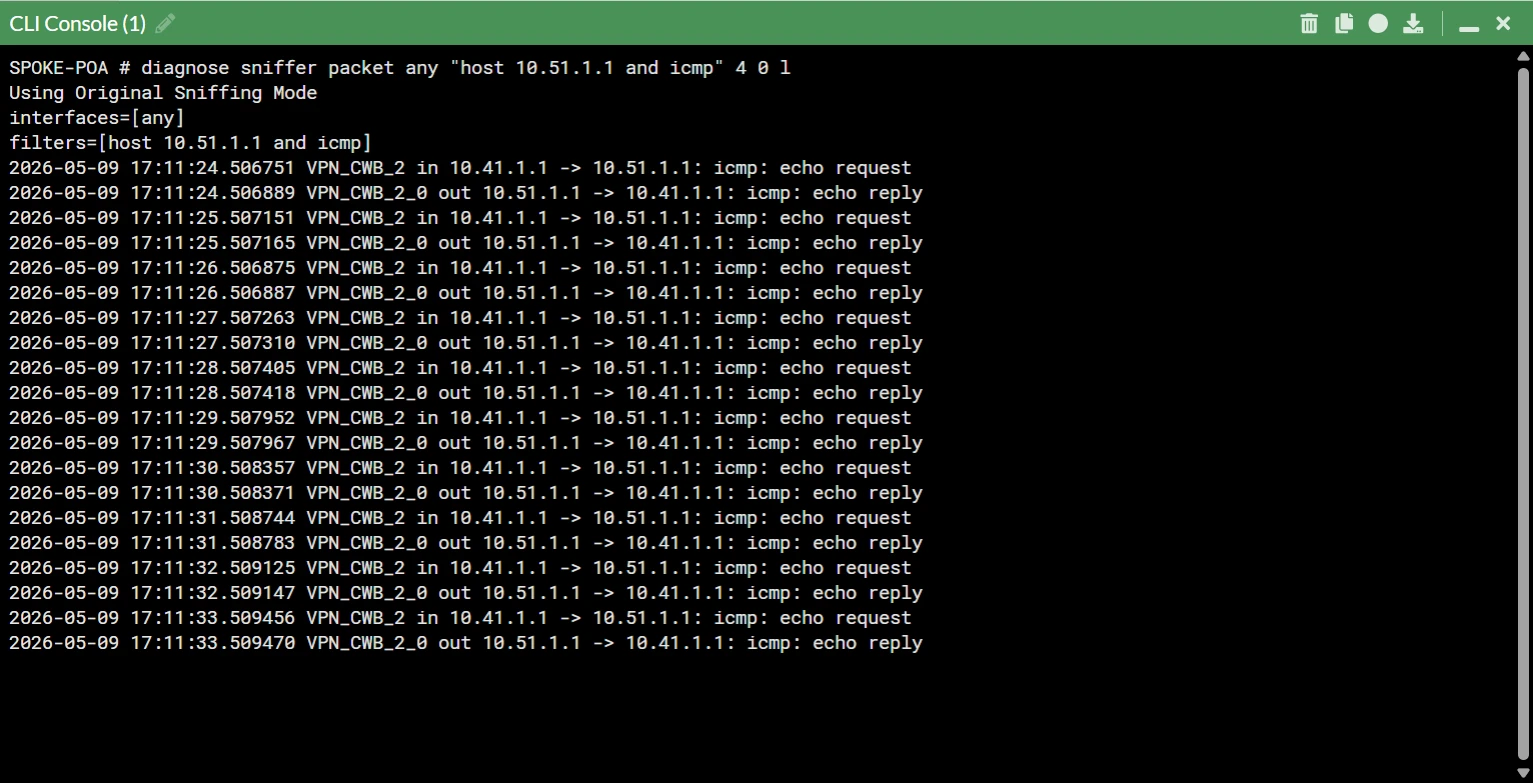
At the beginning of a flow, SPOKE-RJ does not have a direct shortcut to SPOKE-POA. Traffic from 10.41.1.1 to 10.51.1.1 follows the hub-and-spoke path:
SPOKE-RJ -> HUB-CWB or HUB-SP -> SPOKE-POAThe hub sees that it is only forwarding traffic between two spokes. It then sends ADVPN shortcut information through IKE so the spokes can negotiate a direct tunnel.
After the shortcut is formed, the data path becomes:
SPOKE-RJ -> SPOKE-POAThe important distinction is that BGP does not negotiate the shortcut. BGP provides reachability for the first packets. IKE and ADVPN negotiate the direct spoke-to-spoke tunnel.
5. IPsec Parameters That Matter
The ADVPN behavior depends heavily on a few Phase 1 settings.
On the hubs, the dynamic Phase 1 interfaces are the ADVPN servers:
| Hub Phase 1 | Interface | Role |
|---|---|---|
| T_ISP1 | port1 | ADVPN dial-up server on ISP1 |
| T_ISP2 | port2 | ADVPN dial-up server on ISP2 |
The key hub behavior is:
set type dynamic
    set net-device disable
    set exchange-ip-addr4 <hub-overlay-ip>
    set mode-cfg enable
    set add-route disable
    set auto-discovery-sender enable
On the spokes, each Phase 1 points to a specific hub WAN address:
| Spoke Phase 1 | Remote gateway |
|---|---|
| VPN_CWB_1 | 200.10.1.2 |
| VPN_CWB_2 | 200.20.1.2 |
| VPN_SP_1 | 200.10.2.2 |
| VPN_SP_2 | 200.20.2.2 |
The key spoke behavior is:
set net-device enable
    set mode-cfg enable
    set add-route disable
    set auto-discovery-receiver enable
    set auto-discovery-shortcuts dependent
In the final exported configuration, the hubs use net-device disable on the dynamic Phase 1 interfaces, while the spokes use net-device enable on their static Phase 1 interfaces. The hubs also set exchange-ip-addr4 to their overlay tunnel IPs, and the spokes use dependent ADVPN shortcuts. This combination is important for stable shortcut negotiation in this lab.
6. The Inter-Hub DCI
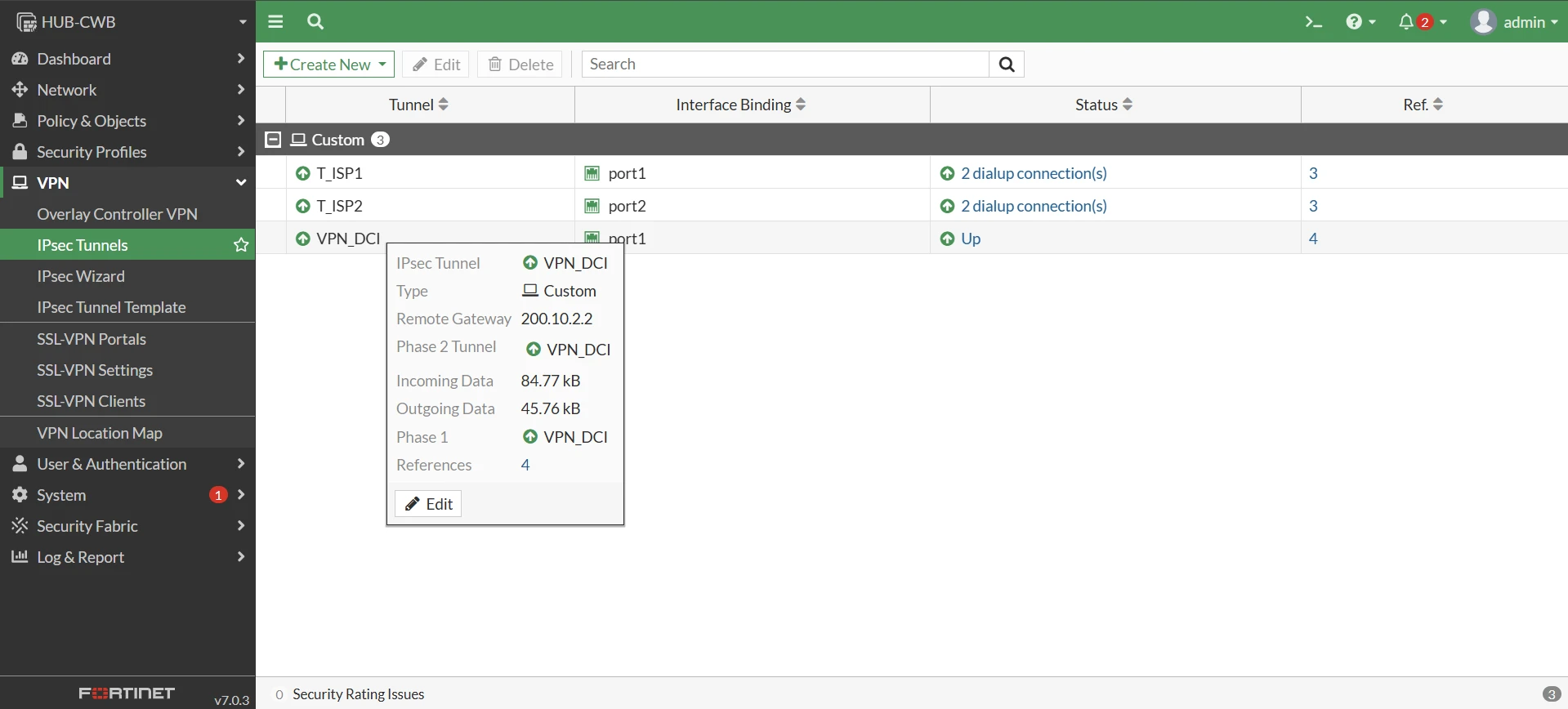
The DCI is the safety bridge between HUB-CWB and HUB-SP.
Without it, a cross-failure can isolate the fabric. For example:
- SPOKE-RJ can reach only HUB-CWB.
- SPOKE-POA can reach only HUB-SP.
- The spokes are still alive, but attached to different hubs.
The VPN_DCI tunnel keeps the hubs connected in this scenario. The hubs peer over 10.254.10.1 and 10.254.10.2, and this allows traffic to cross from one hub domain to the other.
In a cross-failover test, the expected path is:
SPOKE-RJ -> HUB-CWB -> VPN_DCI -> HUB-SP -> SPOKE-POAor the reverse, depending on which spoke is attached to which hub.
7. SD-WAN and Health Checks
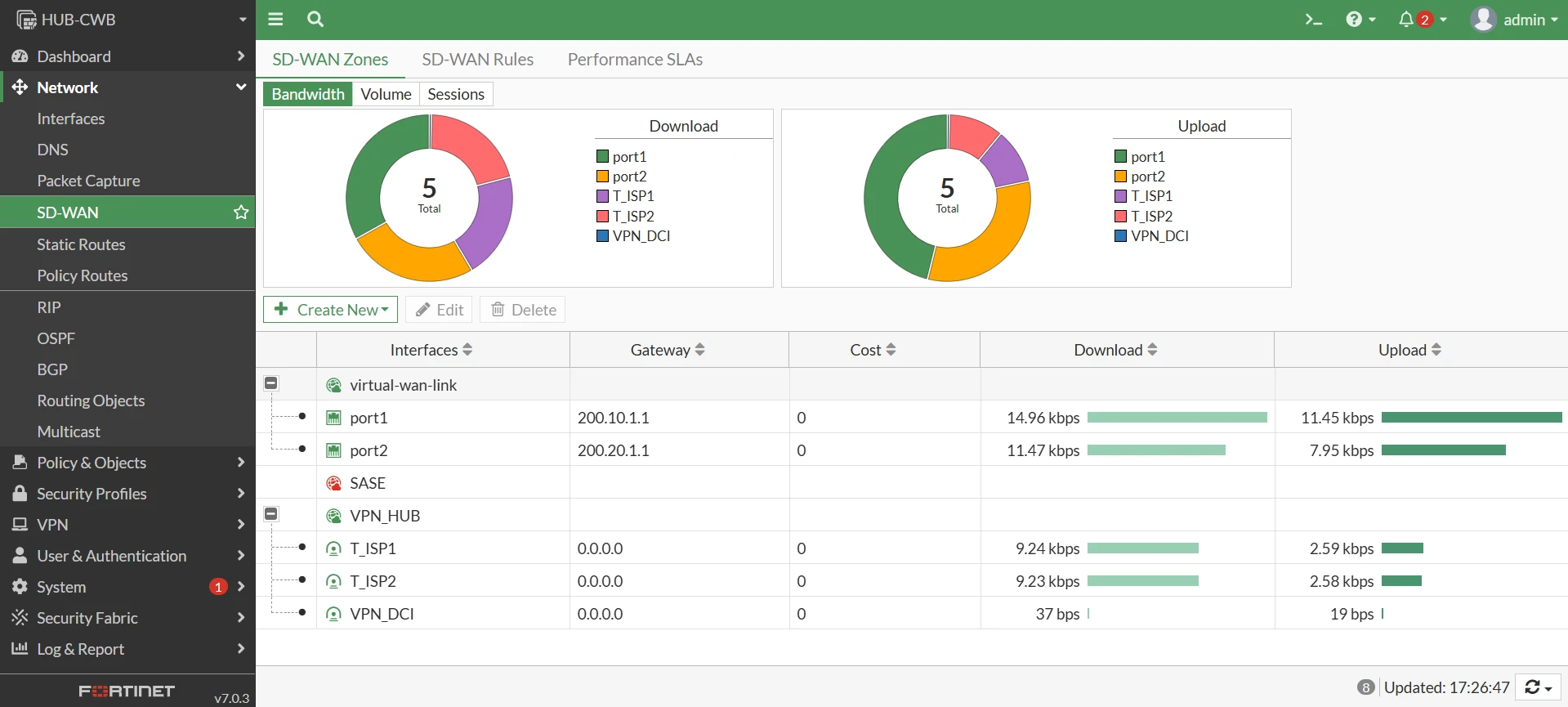
SD-WAN does not replace routing. BGP decides which prefixes are reachable and which next hops exist. SD-WAN decides which member should forward traffic based on rules and SLA state.
On each spoke, the SD-WAN members are:
| Member | Interface | Purpose |
|---|---|---|
| 1 | port1 | Underlay internet via ISP3 |
| 2 | port2 | Underlay internet via ISP4 |
| 3 | VPN_CWB_1 | Overlay to HUB-CWB via ISP1 |
| 4 | VPN_CWB_2 | Overlay to HUB-CWB via ISP2 |
| 5 | VPN_SP_1 | Overlay to HUB-SP via ISP1 |
| 6 | VPN_SP_2 | Overlay to HUB-SP via ISP2 |
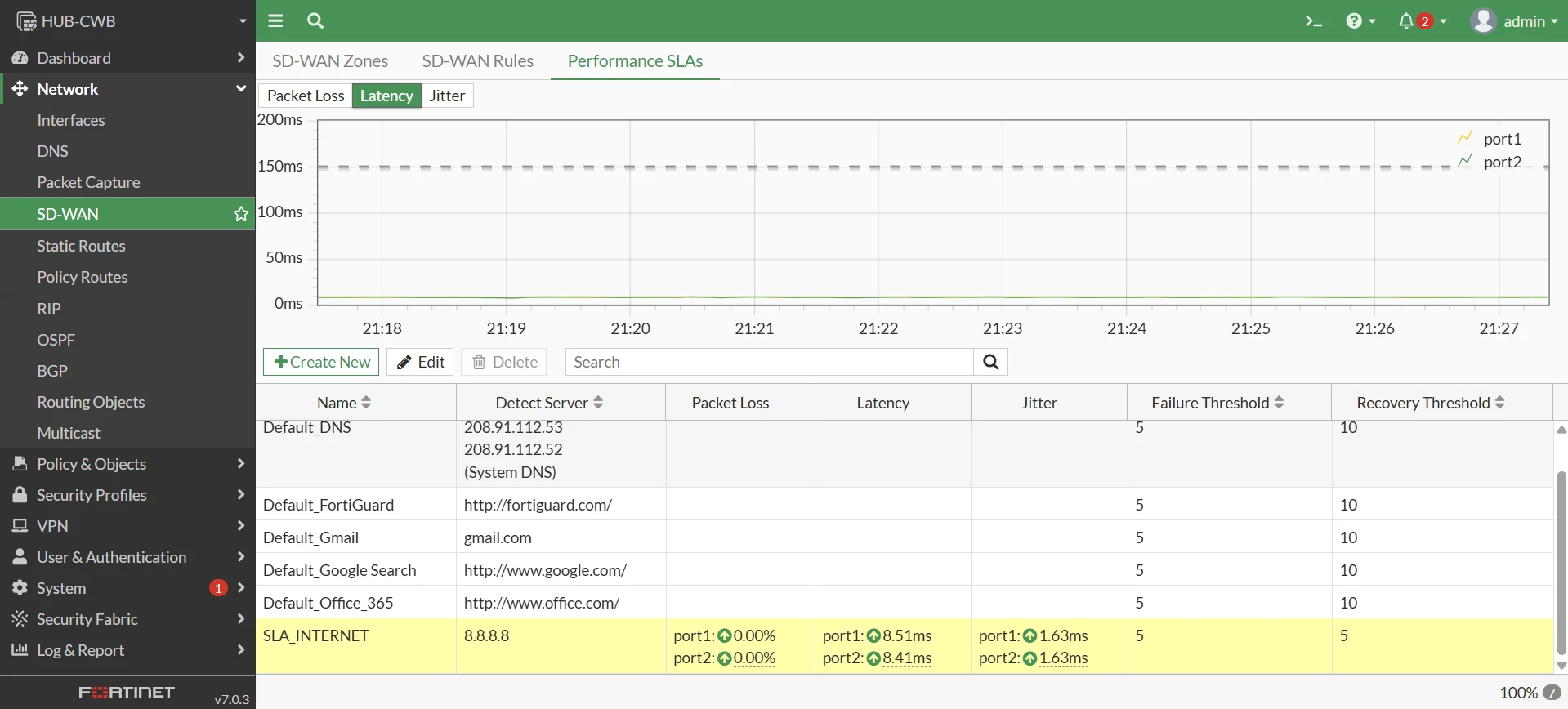
The spokes use dedicated SLA checks:
| SLA | Target | Members |
|---|---|---|
| SLA_INTERNET | 8.8.8.8 | 1, 2 |
| SLA_CWB | 10.11.1.1 | 3, 4 |
| SLA_SP | 10.21.1.1 | 5, 6 |
| SLA_HUBS | 100.64.1.1, 100.64.2.1 | 3, 4, 5, 6 |
The final exported spokes still contain a generic SDWAN_VPN service, but it is intentionally disabled. The active steering is done with explicit destination-based rules:
| Rule | Destination | Members |
|---|---|---|
| VPN_TO_CWB | NET_CWB | 3, 4 |
| VPN_TO_SP | NET_SP | 5, 6 |
| VPN_TO_RJ / VPN_TO_POA | Remote spoke LAN | 3, 4, 5, 6 |
| VPN_OVERLAY_ADVPN | NET_OVERLAY_ADVPN | 3, 4, 5, 6 |
This makes path selection more deterministic. Traffic to a hub LAN prefers that hub’s tunnels, while spoke-to-spoke and ADVPN overlay traffic can use all four VPN members.
8. Self-Healing with BGP Communities
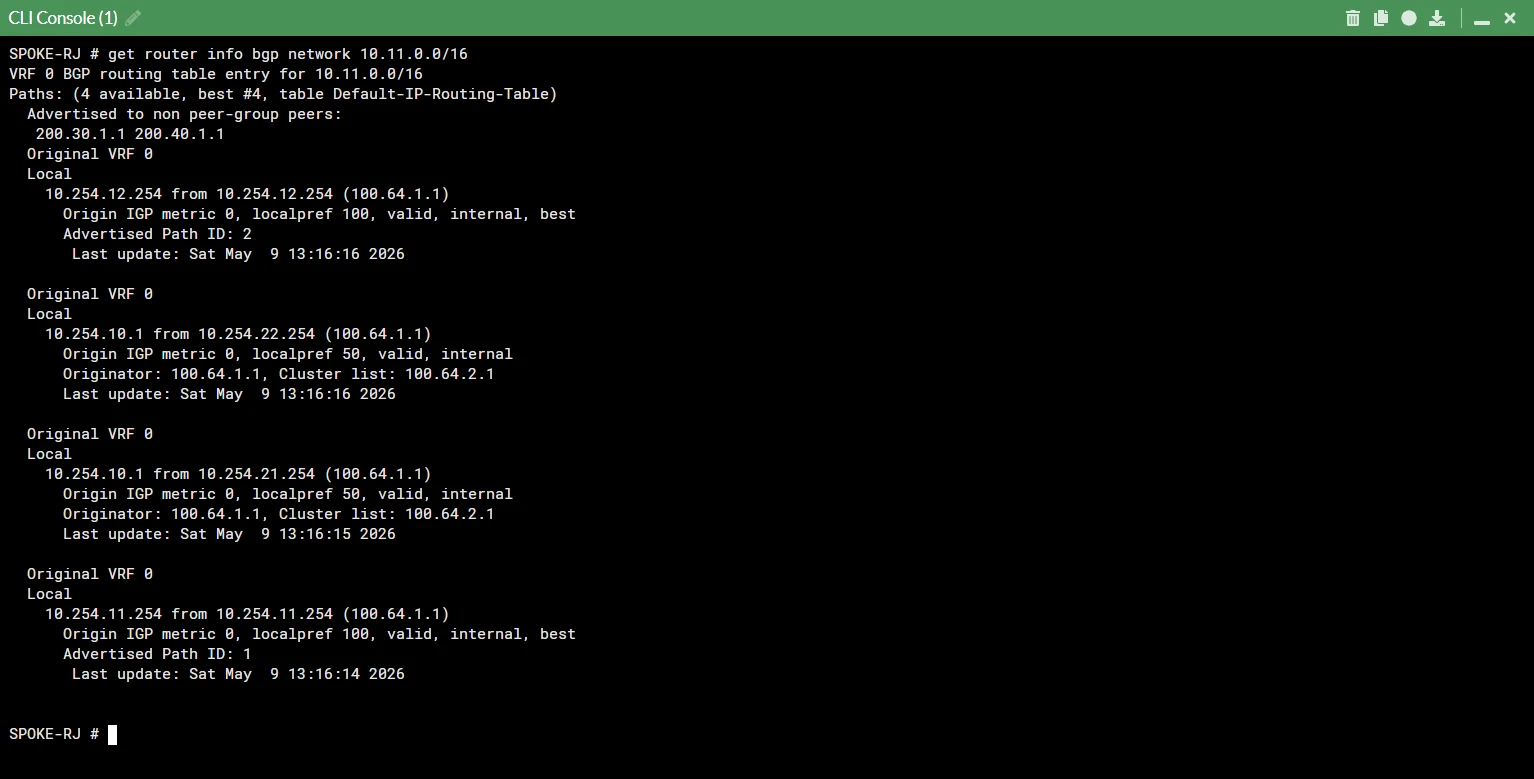
The hub cannot directly measure the quality of every spoke internet circuit. The spoke has the best view of its own local links, so it tags BGP advertisements based on SD-WAN health.
In this lab, the spokes use two outbound route-maps:
| Route-map | Community | Meaning |
|---|---|---|
| RM_SPOKE_OUT_OK | 65000:1 | Path is healthy |
| RM_SPOKE_OUT_BAD | 65000:666 | Path is degraded |
The hubs receive those communities and convert them into local preference and route tags:
| Community | Hub action |
|---|---|
| 65000:1 | local-pref 200, route-tag 1 |
| 65000:666 | local-pref 50, route-tag 666 |
This gives the hub a simple signal:
- Prefer routes advertised through healthy paths.
- Keep degraded paths available as a fallback.
- Avoid turning a quality problem into a full outage.
The spokes also use inbound route-maps to avoid preferring an indirect hub path when a direct hub path exists:
| Route received on spoke | Route-map behavior |
|---|---|
| NET_SP learned from HUB-CWB | local-pref 50 |
| NET_CWB learned from HUB-SP | local-pref 50 |
This keeps CWB traffic biased toward CWB tunnels and SP traffic biased toward SP tunnels, while still preserving cross-hub reachability through the DCI when needed.
9. Static Routes and Blackhole Hygiene
Blackhole routes are useful when they are deliberate.
For summarized local LAN advertisements, a blackhole route provides a stable RIB anchor. HUB-CWB keeps a blackhole for 10.11.0.0/16, HUB-SP keeps a blackhole for 10.21.0.0/16, SPOKE-RJ keeps a blackhole for 10.41.0.0/16, and SPOKE-POA keeps a blackhole for 10.51.0.0/16.
The final exports avoid the dangerous case: HUB-CWB does not blackhole 10.21.0.0/16, and HUB-SP does not blackhole 10.11.0.0/16. That matters because a low-distance remote blackhole could beat the iBGP route learned from the other hub.
The publish-ready validation should confirm:
| Device | Expected blackhole |
|---|---|
| HUB-CWB | 10.11.0.0/16 and 10.254.0.0/16 |
| HUB-SP | 10.21.0.0/16 and 10.254.0.0/16 |
| SPOKE-RJ | 10.41.0.0/16 |
| SPOKE-POA | 10.51.0.0/16 |
10. End-to-End Test Plan
I used four practical tests to validate the fabric.
Test 1: Normal Spoke-to-Spoke ADVPN
Traffic starts through the hub and then moves to a direct ADVPN shortcut.
execute ping-options source 10.41.1.1
    execute ping-options repeat-count 20
    execute ping 10.51.1.1

    execute traceroute-options source 10.41.1.1
    execute traceroute 10.51.1.1
Expected result:
- First packets may traverse a hub.
- The shortcut appears in IPsec diagnostics.
- Subsequent traffic bypasses the hub.
Test 2: ISP Path Failure
Disable one underlay or one overlay path and confirm that BGP and SD-WAN reconverge.
get router info bgp summary
    diagnose sys sdwan health-check
    diagnose sys sdwan service
    get vpn ipsec tunnel summary
Expected result:
- The affected path is removed or deprioritized.
- Remaining overlay members keep traffic alive.
- BGP still has alternate next hops.
Test 3: Cross-Hub Failover Through DCI
Force each spoke to prefer a different hub, then test communication between RJ and POA.
execute traceroute-options source 10.41.1.1
    execute traceroute 10.51.1.1

    diagnose sniffer packet VPN_DCI "host 10.41.1.1 and host 10.51.1.1" 4 0 l
Expected result:
- Traffic crosses
VPN_DCI. - The DCI prevents isolation when spokes land on different hubs.
Test 4: Degraded Path with BGP Community
Create an SLA degradation and verify that the spoke advertises a degraded community.
diagnose sys sdwan health-check
    get router info bgp network 10.41.0.0/16
    get router info bgp network 10.51.0.0/16
Expected result:
- Healthy routes carry
65000:1. - Degraded routes carry
65000:666. - Hubs translate the signal into lower local preference and route-tag
666.
Final Notes
This lab was a great exercise in making multiple control-plane and data-plane features work together:
- eBGP underlay reachability.
- IPsec ADVPN overlay.
- Dual route reflectors.
- SD-WAN SLA steering.
- BGP communities for health signaling.
- DCI for cross-hub failover.
- Static route hygiene for summarized prefixes.
The biggest lesson is that the design only becomes trustworthy when the evidence matches the intended behavior. It is easy to describe a beautiful Dual-Hub ADVPN topology; it is much harder, and much more valuable, to prove it with BGP tables, SD-WAN decisions, IPsec tunnel state, traceroute, and packet captures.
If you are studying Fortinet SD-WAN, ADVPN, BGP, NSE 7, FCP, or FCSS topics, building this kind of lab is absolutely worth the effort.
Lab Environment
| Component | Version / Platform |
|---|---|
| Firewall | FortiGate-VM |
| FortiOS | 7.0.3 build 0237 |
| Lab Platform | EVE-NG / PNETLab |
| Underlay Routers | Cisco IOL L3 |
| Underlay Routing | eBGP |
| Overlay Routing | iBGP AS 65000 |
| Overlay VPN | IPsec ADVPN |
| Traffic Steering | FortiGate SD-WAN |
Was this configuration guide helpful?
If you have questions, encountered issues during setup, or want to discuss networking and security, connect or reach out on LinkedIn.
Connect on LinkedIn